
-(6).jpeg?w=1001&h=1001)
.jpeg?w=1001&h=1001)
.jpeg?w=1001&h=1001)
.jpeg?w=1001&h=1001)
.jpeg?w=1001&h=1001)
-(1).jpeg?w=1001&h=1001)
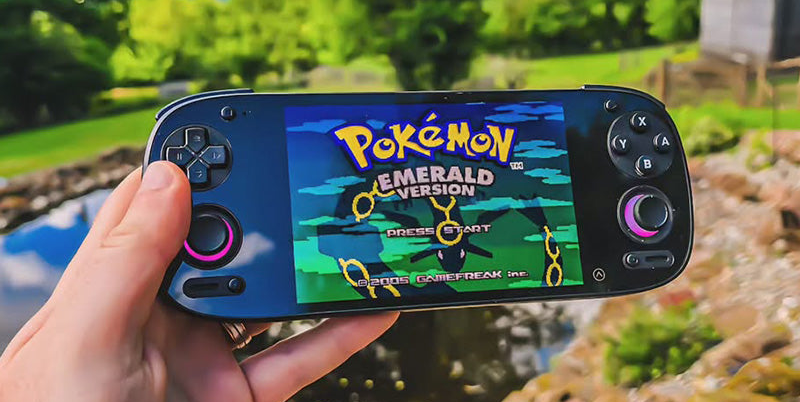
Thinking about getting a new handheld gaming device? The world of pocket consoles has really blown up lately, with tons of options out there. Whether you're all about those classic retro games or want something a bit more modern, there's a device for everyone. We're going to break down what makes these little machines tick, look at some of the top contenders, and help you figure out which pocket console is the right fit for your gaming needs. It can be a lot to sort through, so let's get started.
Key Takeaways
- The Analogue Pocket offers a premium retro gaming experience, focusing on original cartridges and FPGA technology for accurate emulation.
- Super Pocket provides an affordable entry into retro gaming, featuring a built-in library and compatibility with Evercade cartridges.
- Playdate stands out with its unique design, including a physical crank, and a library of quirky indie games.
- When choosing a pocket console, consider factors like display quality, how you'll access games (cartridges vs. ROMs), and the overall build and feel of the device.
- Beyond dedicated retro devices, options like the PlayStation Portal, Steam Deck, and Nintendo Switch offer different ways to enjoy gaming on the go, from remote play to PC titles and hybrid gaming.
Exploring the Pocket Console Landscape
The world of handheld gaming has really exploded lately, hasn't it? It feels like just yesterday we were all glued to our Game Boys, and now there are all sorts of devices letting us play games on the go. It can be a bit much trying to figure out what's actually good, though. You've got everything from super cheap emulators to full-blown portable PCs. To help sort through it all, we've been looking at some of the top contenders.
The Analogue Pocket: A Premium Retro Experience
The Analogue Pocket is pretty much the gold standard if you're serious about retro gaming. It's built like a tank, feels really solid in your hands, and looks like a super slick, modern take on the classic Game Boy. What's really cool is that it plays actual game cartridges – Game Boy, Game Boy Color, and Game Boy Advance all work right out of the box. Plus, with some adapters, you can even play games from systems like the Sega Game Gear or Neo Geo Pocket.
It uses something called FPGA technology, which basically means it's recreating the original hardware. This makes the games run incredibly accurately, with no lag or weird glitches you sometimes get with software emulation. The screen is also a stunner – really sharp and bright, but you can even put old-school scanline filters on it if you want that authentic retro look. It’s not the cheapest option, costing around $220, and the shoulder buttons could be a bit clickier, but for the sheer quality and accuracy, it’s hard to beat.
- Plays original cartridges: Game Boy, GBC, GBA, and more with adapters.
- FPGA hardware: Near-perfect game accuracy and responsiveness.
- High-quality display: Sharp, bright, with customizable filters.
- Premium build: Feels solid and well-made.
While it's designed for cartridges, a software update lets you load ROMs from a microSD card, opening up even more systems like the SNES and Genesis.
Super Pocket: Budget-Friendly Retro Gaming
If you're looking for something that won't break the bank, the Super Pocket is a solid choice. It's really affordable and is probably the cheapest way to get into the Evercade game library. It’s also super small, making it incredibly portable. Seriously, it’s tiny, which is great for tossing in a bag, but if you have larger hands, it might feel a bit cramped.
It comes in a few different versions, each with a built-in collection of games from specific publishers like Taito or Capcom. So you get classics like Space Invaders or Street Fighter built right in. The screen is decent – it’s a 2.8-inch IPS display. It’s not as fancy as the Analogue Pocket’s screen, but it’s colorful and games look pretty good on it, especially with the built-in display options like CRT filters.
- Affordable price: Great entry point for retro gaming.
- Compact size: Extremely portable, but can be small for some.
- Built-in game libraries: Comes with curated collections from publishers.
- Evercade compatibility: Access to a large library of Evercade cartridges.
Playdate: A Unique and Compact Handheld
The Playdate is definitely the oddball of the group, but in a really interesting way. It’s small, black and white, and has this unique crank on the side that’s used for gameplay. It’s not really for playing your old Game Boy cartridges or ROMs; instead, it’s designed for a curated selection of indie games made specifically for the system. Some of these games use that crank in really creative ways, and it’s a pretty neat experience.
The screen is black and white, which might sound basic, but it’s actually really crisp and easy on the eyes. It’s also got Wi-Fi and Bluetooth, and you can even sideload games onto it. It’s a bit of a niche device, and you’re not going to be playing the latest AAA titles on it, but for unique indie games and a different kind of handheld experience, it’s pretty cool. It’s also got a decent battery life, usually lasting around 6-8 hours depending on what you’re doing.
- Unique crank controller: Offers new gameplay possibilities.
- Curated indie games: Focuses on unique, smaller titles.
- Black and white display: Crisp and easy to read.
- Sideloading support: Allows for custom game installations.
It’s a device that really leans into its own identity, offering something different from the usual retro or modern handhelds.
Key Features of Pocket Consoles
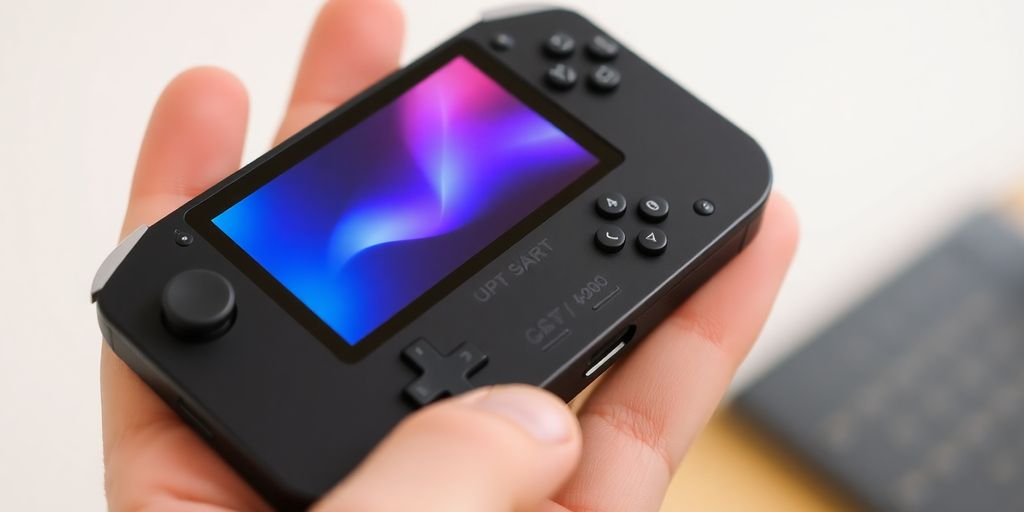
When you're looking at pocket consoles, a few things really stand out as important. It's not just about playing games; it's about how you play them.
Display Quality and Size Considerations
The screen is your window into the game, right? So, it matters a lot. You'll see different sizes, from the tiny 2.7-inch monochrome display on the Playdate to the larger, more vibrant screens on other devices. The Analogue Pocket, for instance, boasts a really sharp 3.5-inch display that can even mimic old Game Boy screens with its filters. Then there's the Super Pocket, which has a 2.8-inch IPS screen. While it's not as high-res as some bigger consoles, games still look pretty good on it, especially with its deep colors. It’s all about finding a balance between screen size, sharpness, and how the games actually look. Some screens might not be backlit, which can be a bummer if you like playing in dimmer light.
Cartridge Slot and Game Library Access
This is a big one for retro fans. Some consoles, like the Analogue Pocket, let you pop in actual game cartridges. This means you can play your old Game Boy, Game Boy Color, and Game Boy Advance games directly. Others, like the Super Pocket, use a cartridge system called Evercade, giving you access to a whole library of classic and indie titles through physical cartridges. It’s a nice way to build up a collection. The Playdate has its own dedicated library, mostly filled with unique indie games you can get through its store or by sideloading. It’s a different approach, focusing on curated experiences.
Build Quality and Ergonomics
How a console feels in your hands makes a huge difference, especially during long gaming sessions. Devices like the Analogue Pocket are built with a premium feel, almost like a modernized classic. The Super Pocket is also pretty solid for its price point. You want something that feels sturdy, not flimsy. Ergonomics are key too – how comfortable are the buttons and the overall shape? Some devices might have great buttons, but maybe the shoulder buttons feel a bit mushy, or the volume controls are tiny. It’s worth considering how long you’ll be holding it and if it’s going to feel good the whole time. A comfortable grip can really make or break the experience, especially if you're playing games that require quick reflexes. It's a bit like trying to find the right fit for a tool you'll use a lot; you want it to feel natural and not cause strain.
Performance and Emulation Capabilities
When you're looking at these pocket consoles, how well they actually run games is a big deal, right? It's not just about having a screen and buttons; it's about whether that Super Mario World you load up actually plays smoothly or if it stutters like a broken record. This section breaks down what makes these devices tick and how they handle the games you want to play.
FPGA vs. Software Emulation
This is a pretty big technical difference that affects how games perform. Think of it like this: FPGA (Field-Programmable Gate Array) is like having the original console's hardware recreated in a new chip. It's super accurate and usually means games run exactly as they did on the original hardware. The Analogue Pocket, for example, uses FPGAs for many of its supported systems. This means games from systems like the Game Boy, Game Gear, and Neo Geo Pocket Color are going to be spot-on.
Software emulation, on the other hand, is when a device uses its own processor to mimic the original console's hardware. Most Android-based handhelds, like the Retroid Pocket series or the AYN Odin 2, use this method. It's more flexible because it can be updated to support more systems, but it can sometimes have compatibility issues or slight inaccuracies. The choice between FPGA and software emulation often comes down to how important perfect accuracy is to you versus the flexibility of supporting a wider range of systems.
Handling Demanding Titles
So, what about those tougher games? We're talking about stuff from the PlayStation 2, GameCube, or even newer systems like the Nintendo DS and 3DS. Devices that use powerful processors, like the Snapdragon 8 Gen 2 found in the AYN Odin 2, can handle these systems pretty well. You can often play games at higher resolutions than they originally ran, making them look sharper on the handheld's screen. For instance, PS2 and GameCube games might run at 2x or 3x their native resolution without much trouble.
However, even with powerful chips, some games are just plain difficult to emulate. Things like the Sega Saturn or certain Nintendo 64 titles can still be a bit hit-or-miss. You might find yourself tweaking settings, like resolution scaling or frame skipping, to get them running acceptably. It's not always plug-and-play, and sometimes, even with the best settings, a game might still have slowdowns or graphical glitches. It really depends on the specific game and how well its emulator has been optimized for the device's hardware.
Battery Life and Cooling Systems
Playing games, especially demanding ones, eats up battery. Most modern pocket consoles have batteries in the 4,000mAh to 5,000mAh range. You can expect anywhere from 4 to 10 hours of playtime, depending on what you're doing. Emulating older, less demanding systems like the Game Boy will get you much longer battery life than playing a PS2 game or a modern Android title. Some devices, like the AYN Odin 2, boast impressive battery life, sometimes exceeding 10 hours for PS2 emulation and even more for lighter tasks.
To keep these devices from overheating, especially when they're working hard, many include active cooling systems. This usually means a small fan inside. While these fans are great for performance, they can sometimes be noisy, especially on their highest settings. You might notice this more when you're trying to play in a quiet environment. It's a trade-off: better performance often means a louder fan. Some devices also have different fan modes, allowing you to balance cooling and noise levels based on your needs.
Connectivity and Expandability
When you're looking at pocket consoles, how they connect to things and what you can add to them really matters. It's not just about playing games out of the box; it's about making the device work for you.
MicroSD Card Support
Most of these handhelds give you a way to add more storage, and the most common method is through a MicroSD card slot. This is super handy because the internal storage on many devices can fill up fast, especially if you're downloading a lot of games or media. Think of it like adding extra memory to your phone. You can usually find cards with tons of storage these days, so you can load up on games without worrying about running out of space. It's a pretty straightforward upgrade, just pop the card in, and the system usually recognizes it right away.
TV Output Options
Some pocket consoles can also connect to your TV, turning your portable device into a home console. This is awesome for when you want to play on a bigger screen or share the gaming experience with friends. The way they connect varies. Some use a USB-C port that supports video output, often with an adapter or a special dock. Others might have a dedicated HDMI port, though that's less common on the really small devices. It's worth checking the specs to see if this feature is supported and what kind of quality you can expect – some might only do 720p, while others can push 1080p or even higher.
Accessory Compatibility
Beyond just storage and TV hookups, think about what else you might want to plug in. This could include external controllers for a more traditional gaming feel, keyboards and mice if the device runs a full operating system like Windows, or even charging docks. The type of ports available, like USB-C, USB-A, or proprietary connectors, will determine what accessories you can use. Having a good range of accessory options means your pocket console can adapt to different situations and playstyles. It's all about making the device more versatile.
Here's a quick look at how some popular devices handle these aspects:
| Feature | Analogue Pocket | Super Pocket | Playdate | Asus ROG Ally X |
|---|---|---|---|---|
| MicroSD Support | Yes | Yes | No | Yes |
| TV Output | No | No | No | Yes (USB-C) |
| USB-C Port | Yes | Yes | Yes | Yes |
| Headphone Jack | Yes | Yes | Yes | Yes |
Choosing the Right Pocket Console for You
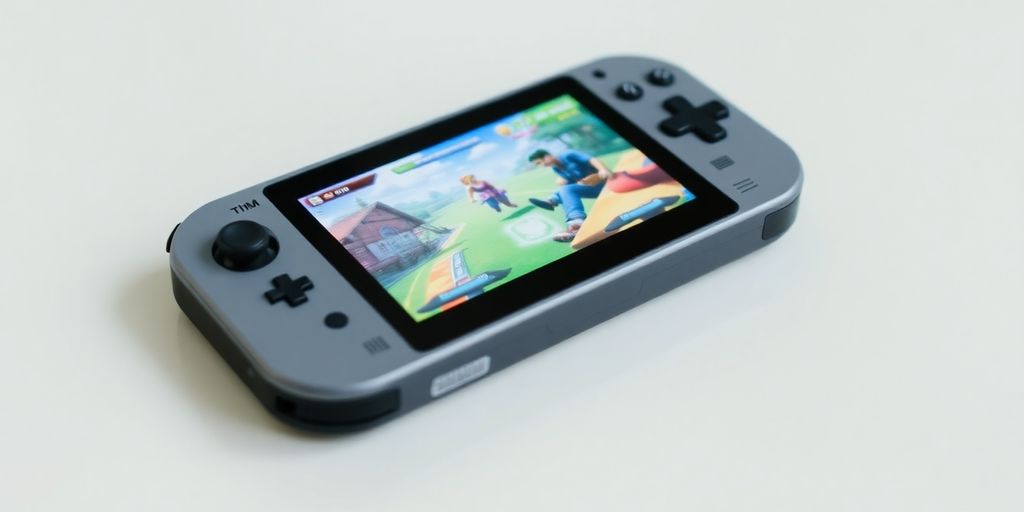
Picking the right pocket console really boils down to what you want to do with it. It's not a one-size-fits-all situation, you know? Think about the games you love, how much you want to spend, and how you plan to carry it around.
Budget-Conscious Selections
If you're trying to keep costs down, the Super Pocket is a solid choice. It’s pretty affordable and gives you access to a bunch of classic games right away, especially if you're into the Evercade library. It’s also super small, making it easy to slip into a pocket. The screen isn't the highest resolution, but for older games, it looks pretty good. It’s a simple, no-fuss way to get your retro fix without spending a lot.
High-Fidelity Gaming Options
For those who want the best possible experience, especially with Game Boy and Game Boy Advance games, the Analogue Pocket is hard to beat. It uses special tech called FPGA to make games run almost perfectly, just like they did on the original hardware. The screen is really sharp and bright, and you can even change how it looks with different filters. It’s more expensive, for sure, but if you’re serious about retro gaming and want that premium feel, this is probably it. It can also play games from other systems with special adapters, which is pretty neat.
Portability and Form Factor
When it comes to just how easy it is to carry around, the Super Pocket wins again because it’s so tiny. The Analogue Pocket is also quite portable, though a bit bigger. If you’re looking for something that feels more like a modern controller in a handheld package, the PlayStation Portal is an option, but remember, it only streams games from your PS5. It’s comfortable to hold for long periods, which is a big plus if you game a lot.
Choosing the right device means looking at your own needs. Don't just go for the most expensive or the most popular; figure out what matters most to you. Is it the price? The types of games? How it feels in your hands? Answering these questions will point you in the right direction.
Here’s a quick look at how some of these stack up:
| Console | Price Range | Primary Use Case | Screen Quality | Portability |
|---|---|---|---|---|
| Super Pocket | $50 - $70 | Budget Retro Gaming | Good (for price) | Excellent |
| Analogue Pocket | $200 - $250 | Premium Retro Gaming | Excellent | Very Good |
| PlayStation Portal | $200 | PS5 Remote Play | Good | Good |
Beyond Dedicated Retro Devices
While the pocket consoles we’ve talked about are fantastic for their specific purpose, the gaming world has expanded. You’ve got devices that blur the lines, offering different ways to play your favorite games, whether they’re old or new. It’s not just about emulating SNES cartridges anymore; it’s about accessing your entire gaming library, wherever you are.
PlayStation Portal for Remote Play
Sony’s PlayStation Portal is an interesting entry. It’s not a standalone console in the traditional sense. Instead, it’s designed to stream games from your PlayStation 5. This means you need a PS5 to even use it. The idea is that you can play your PS5 games on the go, or just in another room of the house, without tying up the main TV. It’s got a nice 8-inch screen and all the PlayStation buttons you’d expect.
- Requires a PS5 console to function.
- Relies on a strong Wi-Fi connection for smooth streaming.
- Offers a dedicated PlayStation button layout.
It’s a neat gadget if you’re deep in the PlayStation ecosystem and want more flexibility. However, if your Wi-Fi isn’t top-notch, you’ll likely run into lag and stuttering, which can really ruin the experience. It’s definitely a niche product for a specific kind of gamer.
Steam Deck for PC Gaming
The Steam Deck is a different beast entirely. This is a portable PC. It runs a version of Linux called SteamOS, but it can also run Windows if you want to go through the trouble. What this means is you can play a huge chunk of your PC game library right in your hands. Think AAA titles, indie darlings, whatever you’ve got on Steam. It’s powerful, with a good screen and comfortable controls.
- Plays PC games from your Steam library.
- Can run other PC applications and emulators.
- Features a 7-inch touchscreen and full controller input.
It’s a bit bigger and heavier than your typical retro handheld, and the battery life can vary wildly depending on the game. But for PC gamers who want to take their library with them, it’s a game-changer. It’s also quite capable of emulating older systems, often outperforming dedicated retro devices in that regard.
Nintendo Switch for Hybrid Gaming
Nintendo’s Switch is probably the most well-known hybrid console out there. It’s a home console that you can also take with you on the go. You can dock it to play on your TV, or just pop out the Joy-Cons and play it handheld. Its game library is massive, with Nintendo’s own first-party titles being a huge draw.
- Seamlessly switches between TV and handheld modes.
- Exclusive access to Nintendo’s popular franchises.
- Offers a wide range of accessories and controllers.
While not strictly a retro device, the Switch can play many classic games through its Nintendo Switch Online service. It’s a versatile machine that appeals to a broad audience, from casual players to hardcore gamers. Its portability is a key feature, making it a great option if you want one device that can do a bit of everything.
Wrapping It Up: Your Next Handheld Adventure
So, we've looked at a bunch of these pocket consoles, from the super-budget-friendly options to the ones that really pack a punch. Whether you're all about playing those classic Game Boy games like they were meant to be played, or you're trying to stream your PC library on the go, there's definitely something out there for you. Remember, it's not just about the specs; it's about what feels right in your hands and what games you want to play. Take your time, think about what you really need, and get ready to game anywhere.
Frequently Asked Questions
What makes the Analogue Pocket special for playing old games?
The Analogue Pocket is like a souped-up Game Boy, built with better parts. It plays old Game Boy, Game Boy Color, and Game Boy Advance games using real cartridges. You can also get special adapters to play games from systems like Sega Game Gear or Neo Geo Pocket. It's known for having a really nice screen and being built tough.
Why is the Super Pocket a good budget-friendly choice?
The Super Pocket is a more affordable option. It's smaller and plays games from Evercade cartridges, which have collections of classic and new indie games. While its screen isn't as fancy as some others, it's a good choice if you want to play a lot of different retro games without spending too much money.
What's so different about the Playdate handheld?
The Playdate is a really unique handheld. It's super small, almost like a credit card, and has a black-and-white screen. It also has a special crank on the side that you use in some games! It comes with its own set of quirky indie games, and you can get more from its store. It's more about trying new and different game ideas.
What are the most important things to look for when buying a handheld console?
When picking a handheld, think about the screen first. Some have super sharp, colorful screens, while others are simpler. Also, consider how you'll get games – do you want to use cartridges, download them, or play games streamed from another device? How the device feels in your hands (ergonomics) and how long the battery lasts are important too.
What's the difference between FPGA and software emulation for retro games?
FPGA means the device uses special chips that act exactly like the original game consoles. This makes the games run almost perfectly, with no lag or weird glitches. Software emulation uses computer code to pretend to be the old consoles, which can sometimes lead to small problems or not feel quite as smooth.
Can I play games from my pocket console on a TV?
Yes, many pocket consoles can connect to a TV. Some use special docks, while others might need an adapter. This lets you enjoy your retro games on a bigger screen, like a home console.